dotsider 0.3.1
See the version list below for details.
dotnet tool install --global dotsider --version 0.3.1
dotnet new tool-manifest
dotnet tool install --local dotsider --version 0.3.1
#tool dotnet:?package=dotsider&version=0.3.1
nuke :add-package dotsider --version 0.3.1
dotsider
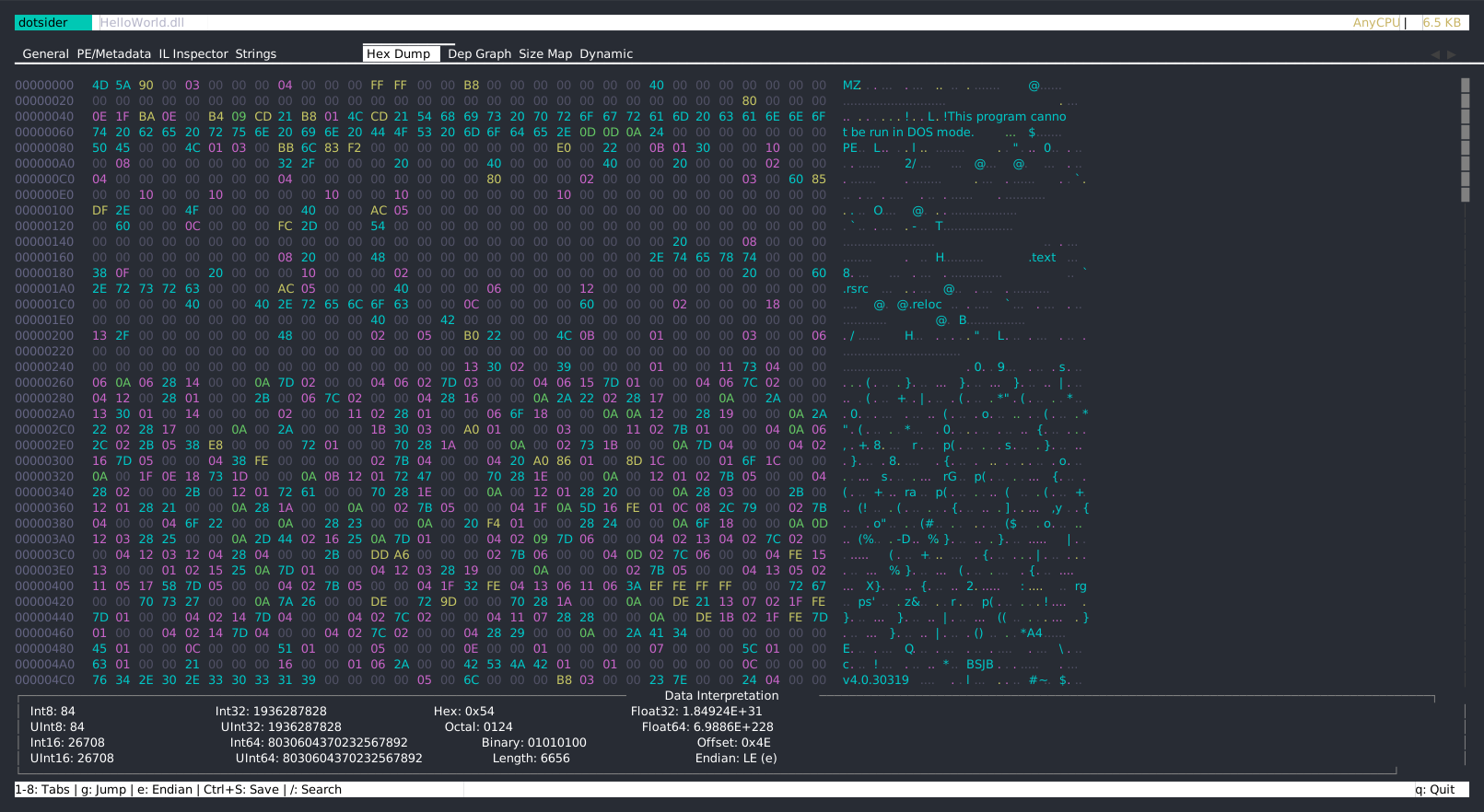
A TUI for analyzing .NET assemblies — structure, metadata, IL, strings, dependencies, and more. Inspired by binsider for ELF binaries, built for the .NET ecosystem.
dotsider HelloWorld.dll
Installation
dotnet tool (recommended)
dotnet tool install -g dotsider
Homebrew (macOS / Linux)
brew install willibrandon/tap/dotsider
WinGet (Windows)
winget install willibrandon.dotsider
Download binary
Grab a standalone binary from Releases.
What it does
dotsider opens any .NET DLL or EXE and lets you explore it across 8 tabs:
| Tab | What you see |
|---|---|
| 1 General | Assembly identity, target framework, architecture, dependency table. Press Enter on a reference to drill into it. |
| 2 PE/Metadata | COFF headers, CLR header, sections, TypeDefs, MethodDefs, AssemblyRefs, custom attributes, resources. Press g on a TypeDef or MethodDef to jump to its IL. |
| 3 IL Inspector | Namespace/Type/Method tree with IL disassembly. Select a method, read its bytecode. Press x to jump to the method body in the hex dump. |
| 4 Strings | User strings, metadata strings, and raw binary string scan with configurable minimum length. |
| 5 Hex Dump | Hex editor with vi-style modal editing (read-only by default), byte category coloring, data interpretation panel, jump-to-offset, and vim navigation. |
| 6 Dep Graph | Visual dependency graph — your assembly at the root, references as nodes, edge weights by TypeRef count. Press Enter on a node to open that assembly. |
| 7 Size Map | Treemap of code size — Assembly > Namespace > Type > Method, sized by IL byte count. Click to drill in; Enter on a method leaf jumps to its IL. |
| 8 Dynamic | Launch the assembly and trace it live via EventPipe — GC events, JIT compilations, exceptions, performance counters, stdout. Press Enter on a JIT event to jump to that method's IL. |
Additional modes
dotsider diff v1.dll v2.dll     # side-by-side assembly comparison
dotsider package.nupkg          # browse NuGet package contents, inspect any DLL inside
Building
Requires .NET 10 SDK.
dotnet build
The binary lands at src/Dotsider/bin/Debug/net10.0/dotsider.
Usage
dotsider <assembly.dll|.exe>    # analyze a .NET assembly
dotsider diff <left> <right>    # compare two assemblies
dotsider <package.nupkg>        # browse a NuGet package

Options:
  -t, --tab <1-8>               start on a specific tab
  -n, --min-len <n>             minimum raw string length (default: 4)
  -v, --version                 show version
  -h, --help                    show help
Keyboard
| Key | Action |
|---|---|
1-8 |
Switch tabs |
Enter |
Drill into selected item (assembly ref, method, DLL in package) |
Backspace |
Go back (assembly stack, breadcrumb, or cross-view jump) |
g |
Go to IL Inspector for the focused TypeDef/MethodDef (PE/Metadata tab) |
x |
Jump to method body in Hex Dump (IL Inspector tab, when a method with RVA is selected) |
/ |
Search (highlights matches inline) |
n / N |
Next / previous search match |
s |
Toggle human-readable sizes |
q |
Quit |
Hex Dump tab uses vi-style modal editing — the editor starts in normal mode (read-only) to prevent accidental writes:
| Key | Mode | Action |
|---|---|---|
i |
Normal | Enter insert mode (enables byte editing) |
Esc |
Insert | Return to normal mode |
h j k l |
Normal | Vim-style cursor movement |
g |
Normal | Jump to hex offset |
e |
Normal | Toggle endianness (LE/BE) |
Ctrl+T |
Any | Toggle text/hex search mode |
Ctrl+S |
Normal | Save edited bytes (only when modified) |
In insert mode, type two hex digits (0-9, a-f) to overwrite one byte. The first digit sets the high nibble; the second commits the edit. Saving validates the PE image before writing — invalid edits are rejected.
Diff mode adds f to cycle filters (All / Added / Removed / Changed).
How it works
dotsider reads assemblies using APIs that ship with the .NET runtime itself — no third-party analysis libraries needed:
System.Reflection.MetadataprovidesMetadataReaderfor traversing the metadata tables (types, methods, references, custom attributes, string heaps)System.Reflection.PortableExecutableprovidesPEReaderfor the PE structure (COFF header, sections, CLR header, method bodies)System.IO.Compressionhandles NuGet packages (which are just ZIP files containing a.nuspecmanifest and DLLs)
The dynamic analysis tab uses Microsoft.Diagnostics.NETCore.Client to connect to a running .NET process via EventPipe — the same diagnostic infrastructure that powers dotnet-trace and dotnet-counters. It launches your assembly with a reverse-connect diagnostic port, so events are captured from the very first instruction.
The TUI is built on Hex1b, a .NET terminal UI library with a React-inspired declarative API, constraint-based layout, theming, and efficient widget reconciliation.
Project structure
src/Dotsider/
  Analysis/           PE reading, metadata extraction, IL disassembly,
                      diffing, dependency graphs, size analysis, runtime tracing
  Views/              One file per tab — widget trees built each frame
  DotsiderApp.cs      Main app shell (tab panel, key bindings, hints bar)
  DotsiderState.cs    All mutable UI state in one place
  DiffApp.cs          Diff mode shell
  NuGetApp.cs         NuGet mode shell
  Program.cs          CLI entry point and mode routing

samples/
  HelloWorld/         Minimal console app
  ComplexApp/         Async pipeline with embedded resources
  RichLibrary/        Library with NuGet deps (Newtonsoft.Json, System.Text.Json)
  RichLibraryV2/      Same library with deliberate API changes (for diff testing)
  MinimalApi/         ASP.NET Core minimal API (web SDK, hosted entry point)
  NativeLib/          Unsafe code, P/Invoke, pointer operations
  EmptyLib/           Minimal library (edge case testing)

tests/Dotsider.Tests/
  SampleAssemblyFixture.cs   Builds all 7 samples once, shared across tests
  *Tests.cs                  Integration tests against real assemblies
Testing
dotnet test
Integration tests run against real .NET assemblies. The test fixture builds all sample projects automatically. First run takes longer due to NuGet restore; subsequent runs use cache.
Samples
Build the sample assemblies to have something to analyze:
dotnet build samples/RichLibrary
dotsider samples/RichLibrary/bin/Debug/net10.0/RichLibrary.dll
Try diff mode with the two library versions:
dotnet build samples/RichLibraryV2
dotsider diff \
  samples/RichLibrary/bin/Debug/net10.0/RichLibrary.dll \
  samples/RichLibraryV2/bin/Debug/net10.0/RichLibrary.dll
License
MIT
| Product | Versions Compatible and additional computed target framework versions. |
|---|---|
| .NET | net10.0 is compatible. net10.0-android was computed. net10.0-browser was computed. net10.0-ios was computed. net10.0-maccatalyst was computed. net10.0-macos was computed. net10.0-tvos was computed. net10.0-windows was computed. |
This package has no dependencies.
| Version | Downloads | Last Updated |
|---|---|---|
| 0.4.3 | 88 | 3/17/2026 |
| 0.4.2 | 75 | 3/15/2026 |
| 0.4.1 | 78 | 3/12/2026 |
| 0.4.0 | 81 | 3/9/2026 |
| 0.3.1 | 77 | 3/8/2026 |
| 0.3.0 | 80 | 3/7/2026 |
| 0.2.6 | 77 | 3/6/2026 |
| 0.2.5 | 81 | 3/5/2026 |
| 0.2.4 | 75 | 3/5/2026 |
| 0.2.3 | 77 | 3/5/2026 |
| 0.2.2 | 80 | 3/5/2026 |
| 0.2.1 | 81 | 3/4/2026 |
| 0.2.0 | 81 | 3/4/2026 |
| 0.1.4 | 85 | 3/3/2026 |
| 0.1.3 | 76 | 3/3/2026 |
| 0.1.2 | 74 | 3/3/2026 |
| 0.1.1 | 76 | 3/3/2026 |
| 0.1.0 | 78 | 3/3/2026 |