IronPdf.Linux
2026.11.1
Prefix Reserved
dotnet add package IronPdf.Linux --version 2026.11.1
NuGet\Install-Package IronPdf.Linux -Version 2026.11.1
<PackageReference Include="IronPdf.Linux" Version="2026.11.1" />
<PackageVersion Include="IronPdf.Linux" Version="2026.11.1" />
<PackageReference Include="IronPdf.Linux" />
paket add IronPdf.Linux --version 2026.11.1
#r "nuget: IronPdf.Linux, 2026.11.1"
#:package IronPdf.Linux@2026.11.1
#addin nuget:?package=IronPdf.Linux&version=2026.11.1
#tool nuget:?package=IronPdf.Linux&version=2026.11.1


%20-107C10?logo=visualstudio)



IronPDF - The C# PDF Library for .NET
Convert HTML to PDF with IronPDF - a C# PDF library for .NET developers who need to create, edit, merge, and secure PDFs.

With IronPDF, developers can build complete PDF workflows around .NET HTML to PDF conversion. It uses a Chrome-based rendering engine to convert HTML, CSS, JavaScript, web pages, templates, and dynamic content into accurate, pixel-perfect PDFs. The library also supports editing existing PDFs, adding security, applying digital signatures, merging files, and integrating PDF generation into desktop, web, cloud, and server-side .NET projects.
Get Started in 3 Steps
1. Install the NuGet Package
PM> Install-Package IronPdf
2. Create Your First PDF
using IronPdf;

// Instantiates Chrome Renderer
var renderer = new ChromePdfRenderer();

// Render Html contents as PDF
var pdf = renderer.RenderHtmlAsPdf("<h1>~Hello World~</h1> Made with IronPDF!");

// Saves the PdfDocument object as a PDF
pdf.SaveAs("html_saved.pdf");
3. Explore More
Dive deeper with the documentation and examples:
Tutorials: Step-by-step guides to help you build your first PDF application.
Code Examples: Practical examples of executable code for common tasks.
How-To Guides: Practical, goal-oriented instructions to solve specific problems.
Demo: Interactive demos of IronPDF in action.
API Reference: Detailed technical descriptions of the API and its components.
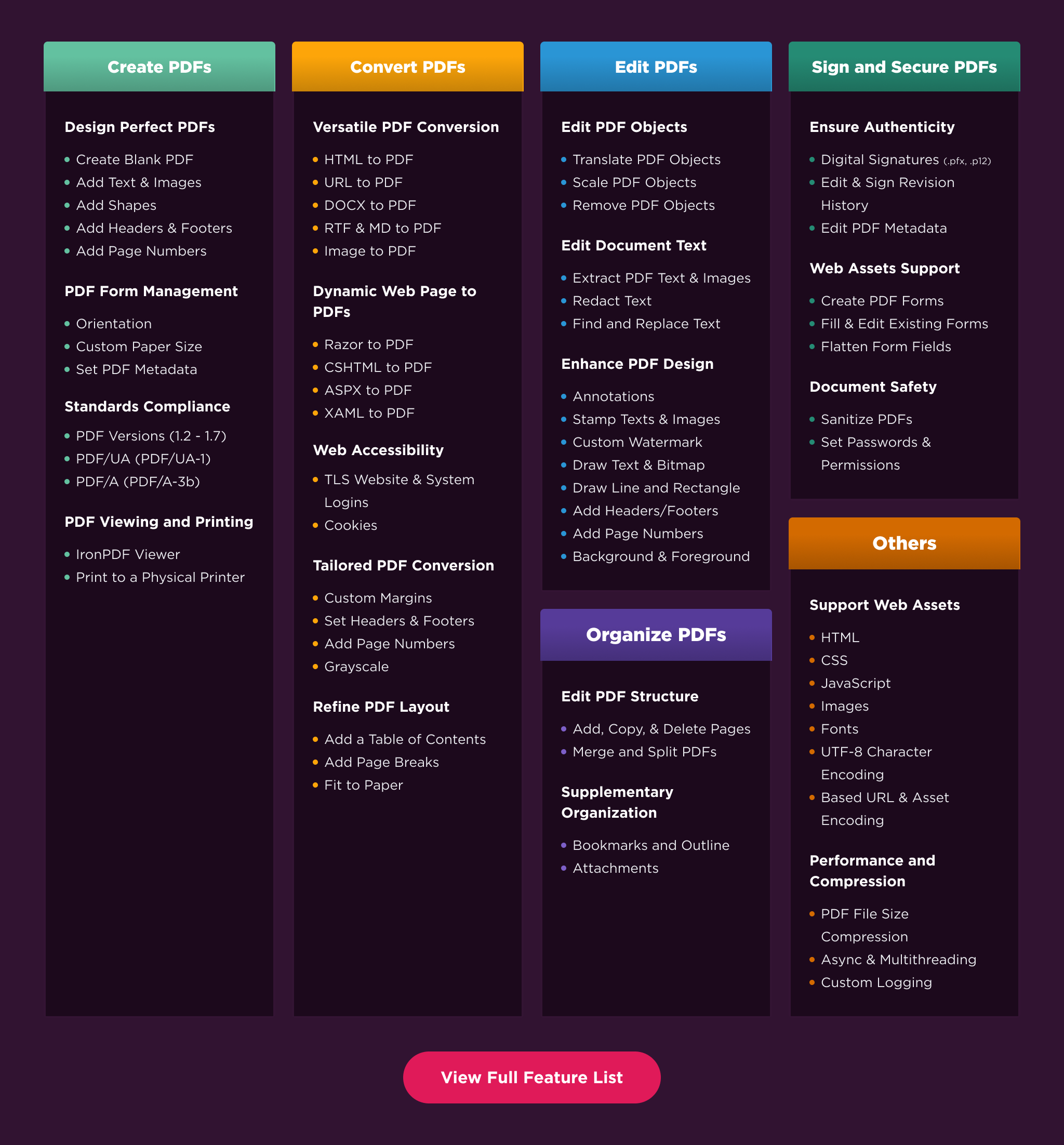
Key Features
Create PDFs: Create PDFs from scratch in a few lines of code.
Convert PDF: Convert PDFs from HTML, images, docx, and website pages.
Edit PDFs: Modify existing PDF documents. Add text, images, watermarks, and headers/footers.
Organize PDFs: Merge, split, add or remove pages, and manipulate document properties.
Sign & Secure PDFs: Add digital signatures, set passwords, and manage user permissions to protect your documents.
Compatibility
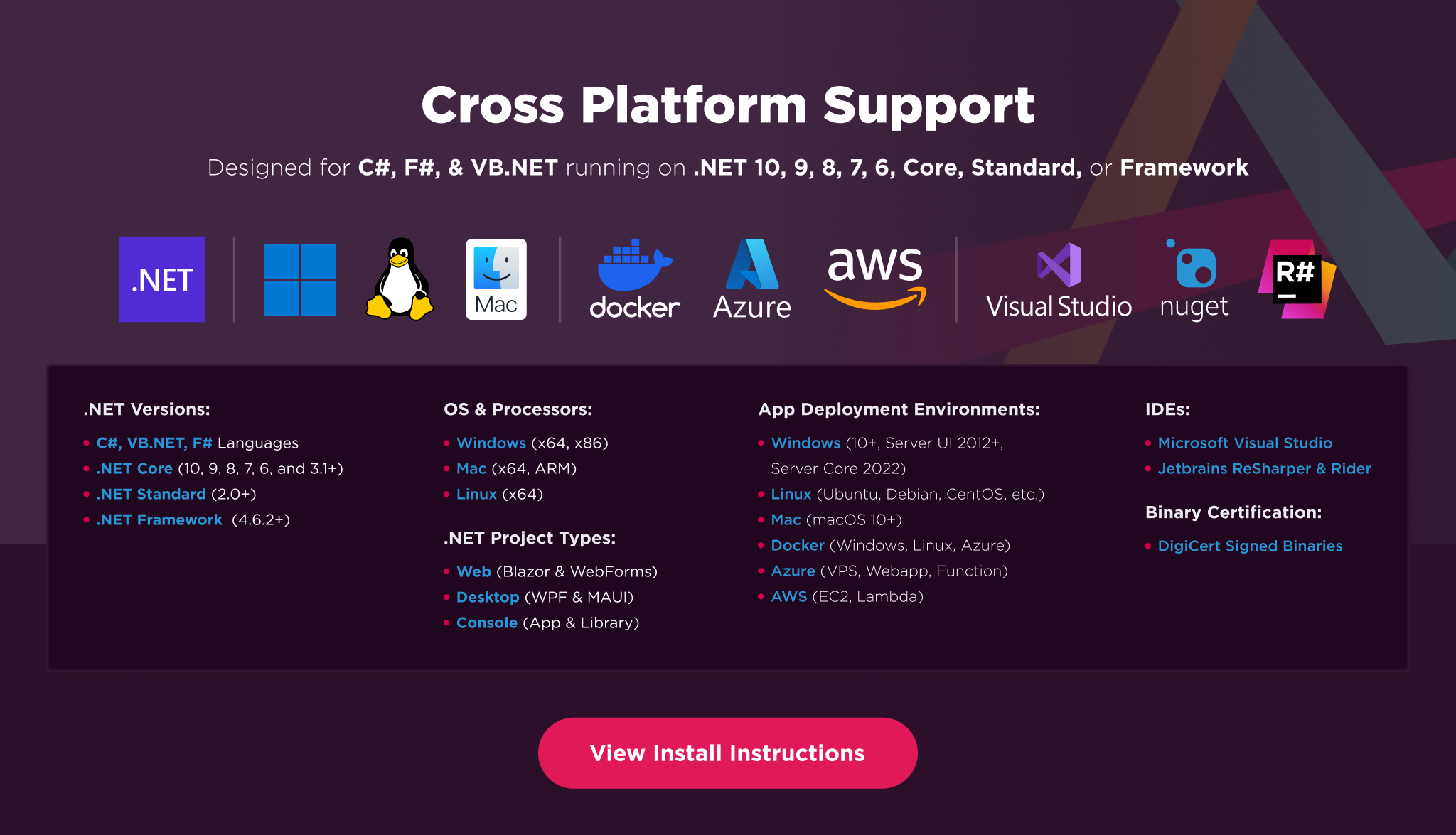
IronPDF is built for modern .NET and supports a wide range of project types and operating systems.
Platforms: .NET 10, .NET 9, .NET 8, .NET 7, .NET 6, .NET 5, Core 2x & 3x, Standard 2
Framework: .NET Framework 4.6.2 (and above)
App Models: Console, Web, and Desktop Apps, MVC, Blazor, MAUI, Razor Pages, Web Forms
Operating Systems: Windows, macOS, Linux (Debian, CentOS, Ubuntu)
IDEs: Microsoft Visual Studio or Jetbrains ReSharper & Rider
License
IronPDF is a commercially licensed product.
Trial License: Get a free developer key to evaluate the full library with no commitment. For development and testing. Start your trial HERE.
Purchase a License: Unlock the library for use in commercial projects and access technical support. Purchase your license HERE.
Getting Help & Support
Have a question or running into an issue?
Email Support: Reach out to support directly at support@ironsoftware.com.
Live Chat Support: https://ironpdf.com/#helpscout-support
Report a Bug: https://ironsoftware.com/ticket-submission/
Community: https://ironsoftware.com/company/iron-slack-community/
| Product | Versions Compatible and additional computed target framework versions. |
|---|---|
| .NET | net5.0 is compatible. net5.0-windows was computed. net6.0 is compatible. net6.0-android was computed. net6.0-ios was computed. net6.0-maccatalyst was computed. net6.0-macos was computed. net6.0-tvos was computed. net6.0-windows was computed. net7.0 was computed. net7.0-android was computed. net7.0-ios was computed. net7.0-maccatalyst was computed. net7.0-macos was computed. net7.0-tvos was computed. net7.0-windows was computed. net8.0 is compatible. net8.0-android was computed. net8.0-browser was computed. net8.0-ios was computed. net8.0-maccatalyst was computed. net8.0-macos was computed. net8.0-tvos was computed. net8.0-windows was computed. net9.0 was computed. net9.0-android was computed. net9.0-browser was computed. net9.0-ios was computed. net9.0-maccatalyst was computed. net9.0-macos was computed. net9.0-tvos was computed. net9.0-windows was computed. net10.0 was computed. net10.0-android was computed. net10.0-browser was computed. net10.0-ios was computed. net10.0-maccatalyst was computed. net10.0-macos was computed. net10.0-tvos was computed. net10.0-windows was computed. |
| .NET Core | netcoreapp2.0 is compatible. netcoreapp2.1 was computed. netcoreapp2.2 was computed. netcoreapp3.0 was computed. netcoreapp3.1 was computed. |
| .NET Standard | netstandard2.0 is compatible. netstandard2.1 was computed. |
| .NET Framework | net461 was computed. net462 was computed. net463 was computed. net47 was computed. net471 was computed. net472 was computed. net48 was computed. net481 was computed. |
| MonoAndroid | monoandroid was computed. |
| MonoMac | monomac was computed. |
| MonoTouch | monotouch was computed. |
| Tizen | tizen40 was computed. tizen60 was computed. |
| Xamarin.iOS | xamarinios was computed. |
| Xamarin.Mac | xamarinmac was computed. |
| Xamarin.TVOS | xamarintvos was computed. |
| Xamarin.WatchOS | xamarinwatchos was computed. |
-
.NETStandard 2.0
- IronPdf.Native.Chrome.Linux (>= 2026.11.1 && < 2026.12.0)
- IronPdf.Slim (= 2026.11.1)
- IronSoftware.Native.PdfModel.Linux (>= 2026.11.1 && < 2026.12.0)
NuGet packages
This package is not used by any NuGet packages.
GitHub repositories
This package is not used by any popular GitHub repositories.
| Version | Downloads | Last Updated |
|---|---|---|
| 2026.11.1 | 688 | 10/30/2026 |
| 2026.10.3 | 38,970 | 10/12/2026 |
| 2026.10.1 | 21,024 | 9/30/2026 |
| 2026.9.2 | 57,324 | 9/1/2026 |
| 2026.8.1 | 58,564 | 8/3/2026 |
| 2026.7.2 | 69,028 | 6/26/2026 |
| 2026.6.1 | 59,105 | 5/26/2026 |
| 2026.5.2 | 76,662 | 4/29/2026 |
| 2026.4.1 | 69,960 | 3/27/2026 |
| 2026.3.1 | 75,387 | 2/26/2026 |
| 2026.2.1 | 15,378 | 2/17/2026 |
| 2026.1.3 | 13,452 | 2/9/2026 |
| 2025.12.2 | 174,437 | 12/26/2025 |
| 2025.11.12 | 83,502 | 11/10/2025 |
| 2025.10.8 | 87,380 | 10/8/2025 |
| 2025.9.4 | 68,345 | 9/2/2025 |
| 2025.8.8 | 85,792 | 8/13/2025 |
| 2025.7.17 | 37,399 | 7/22/2025 |
| 2025.6.8 | 95,765 | 6/17/2025 |
Features
- Added support for signing PDFs with external signing services, such as Azure Key Vault or a hardware security module (HSM), without exposing the private key. Supports RSA and ECDSA keys in local, engine, and Docker modes
- Added `SignToBytes` to return a signed PDF in memory. HSM and PKCS#11 signing are also now supported in engine and Docker mode
- Added PdfPage.TextBlocks, which organizes extracted PDF text into blocks, lines, and spans, including font and position information
- Added `IronPdfConnectionConfiguration.AllowUntrustedServerCertificate` and `ServerCertificateValidationCallback` to control TLS certificate validation for `RemoteServer` connections to IronPdfEngine. Untrusted certificates currently trigger a warning and may be rejected by default in a future release
- Added optional authentication for IronPdfEngine: set `IRONPDF_ENGINE_AUTH_TOKEN` on the engine and send the header `authorization: Bearer <token>` from the client (in .NET, through `IronPdfConnectionConfiguration.Metadata`). Off by default, so existing clients are not affected
- Added the IronPdfEngine setting `allow_local_file_access` (`IRONPDF_ENGINE_ALLOW_LOCAL_FILE_ACCESS`). Set it to `false` so requests cannot point the engine at files on its own host: rendering an HTML file by path or a `file:` URL is refused, and local base URLs, custom CSS URLs and font file paths are ignored. On by default
Enhancements
- Improved `CopyPage()` and `CopyPages()` so extracting or splitting pages is faster and produces smaller files while preserving document content, including forms, bookmarks, page labels, links, metadata, attachments, and layers
- Improved PDF generation performance when creating Tables of Contents and automatic bookmarks, reducing unnecessary delays and speeding up processing of documents with smaller font sizes
- Upgraded the IronPdf.UpdatedChrome packages to Chromium 146 on Windows x64, Linux x64 and ARM64, and macOS, bringing current Chromium security fixes. Windows x86 remains on Chromium 131. The default IronPdf package continues to use Chromium 109.
- Added opt-in UpdatedChrome IronPdfEngine Docker images, `:<version>-updatedchrome` and `:updatedchrome`, based on Chromium 146 for Linux x64 and ARM64. The default images, `:<version>` and `:latest`, continue to use Chromium 109, the same engine as the default IronPdf package, so upgrading the image does not change the rendering engine.
- IronPdfEngine Docker images now show which Chromium engine they contain, through the `com.ironsoftware.ironpdfengine.engine`, `com.ironsoftware.chromium` (Chromium version) and `com.ironsoftware.cef` (CEF version) image labels and the first line of the engine log.
- Updated the PDF processing engine to improve image-to-PDF conversion, PDF/UA-2 metadata, and PDF/A-1 validation.
- IronPdfEngine now applies the `host` setting (`IRONPDF_ENGINE_HOST`), which was previously ignored and the engine always listened on every interface. The default (`0.0.0.0`) is unchanged; if you set `IRONPDF_ENGINE_HOST` to another value, the engine now listens only on that address
- IronPdfEngine no longer writes request contents (HTML, URLs, cookies, license keys) to its console log; each call is logged by name and size
Bug Fixes
- Fixed an issue where adding an HSM or external-service signature to an already signed PDF could invalidate the existing signature. Both signatures now remain valid
- Fixed an issue where `Merge()`, `AppendPdf()`, and `InsertPdf()` lost form field details, including radio button and check box values, list selections, default values, tooltips, and field scripts
- Fixed PDF 2.0 documents being incorrectly labelled as PDF 1.0 after copying pages or performing other full-save operations. The correct PDF 2.0 header is now preserved
- Fixed an issue where region redaction left original image content recoverable beneath the redaction box. Image pixels are now overwritten, warnings are logged when images cannot be safely redacted, and the new `ThrowOnUnredactedImages` option can throw an exception when redaction is incomplete or cannot be verified
- Fixed an issue where text kept outside a redacted region, such as invisible OCR text, could become visible after redaction
- Fixed text redaction boxes that failed to fully cover characters, including on OCR-generated PDFs. Boxes now cover the full text height while avoiding neighboring lines. On scanned pages, the image pixels remain unchanged
- Fixed intermittent crashes and rendering timeouts during parallel HTML-to-PDF rendering, including in IIS applications
- Fixed an issue where non-ASCII form field values, such as Czech characters, could render incorrectly when using SetDefaultFont or SetFormFont, particularly on Linux and macOS. Also fixed a crash when inserting a PDF into itself using InsertPdf()
- Fixed incorrect font sizes and text positions when extracting text through IronPdfEngine, as well as exceptions when extracting text from pages without text
- Fixed several issues that caused PDF/UA documents to hide text from screen readers, including text containing invisible characters or non-breaking hyphens, text in floated or positioned elements, links containing nested HTML elements, and repeated text in table cells
- Fixed an issue where converting multiple images to PDF could omit all images after the first.
- Fixed PDF/A-1 conversion failures caused by embedded sRGB ICC v4 profiles by converting them to the required v2 sRGB output-intent profile.
- Fixed PDF/UA-2 metadata to use the correct revision identifier.
- Fixed an issue where HTML with extremely deep nesting could cause rendering problems in UpdatedChrome. Such documents now fail promptly with an error instead of hanging or crashing.
- Fixed UpdatedChrome using the internal page address (`ironpdf://render`) or a temporary file name as the PDF title, and in `{html-title}` and `{pdf-title}` headers and footers, when the HTML has no title.
- Fixed UpdatedChrome creating duplicate link annotations for a link that wraps a block element and for hyperlinked HTML stamps.
- Fixed `Cleaner.ScanPdf()` failing on Linux ARM64 with "undefined symbol: string__declarations". The bundled YARA library for Linux ARM64 is now YARA 4.1.1, the same version as on the other platforms, and no longer needs glibc 2.34
Breaking Changes
- .NET 6 and later: Custom `Grpc.Core.Channel` usage with `WithCustomChannel` or `CustomChannel` now requires a direct `Grpc.Core` package reference
- Docker and LocalExecutable connections to IronPdfEngine no longer use the `grpc_proxy`, `https_proxy`, or `http_proxy` environment variables
- `IronPdf.Server.Azure` now requires `Grpc.AspNetCore` 2.62.0 or later
- UpdatedChrome rendering changes: The IronPdf.UpdatedChrome packages and the `-updatedchrome` Docker images use Chromium 146 instead of Chromium 131 (Chromium 127 on macOS). Fonts, layout, and pagination may differ, and HTML nested around 500 levels deep fails with an error. The default IronPdf package and the default Docker images (`:<version>` and `:latest`) are unchanged and stay on Chromium 109.
- UpdatedChrome Linux requirements: IronPdf.UpdatedChrome on Linux requires glibc 2.31 or newer. Older distributions, including Ubuntu 18.04, Debian 10, RHEL/CentOS 7 and 8, and Amazon Linux 2, are no longer supported by UpdatedChrome; use the default IronPdf package there. UpdatedChrome on Linux also requires the system `libnss3` and `libudev1` packages, which are installed automatically when `LinuxAndDockerDependenciesAutoConfig` is enabled.
- Custom Docker images: Images that copy the UpdatedChrome engine onto another base image must use glibc 2.31 or newer and provide `libudev1` and `libnss3`. Custom images built `FROM ironsoftwareofficial/ironpdfengine` are unaffected.
- WebSQL: UpdatedChrome no longer supports WebSQL, which was removed in Chromium 146.
Updates
- Removed the deprecated `Grpc.Core` dependency from .NET 6+ client projects and replaced the engine's deprecated gRPC server implementation. This addresses the `Grpc.Core` dependency associated with CVE-2023-4785 in those components. .NET Framework projects remain unchanged, and existing clients continue to work
- IronPdfEngine Docker: `:latest` and `:updatedchrome` move with every release and can be pulled again whenever a container restarts. In production, pin `:<version>` or `:<version>-updatedchrome` with the same version as your IronPDF client, or pin the image digest
- Updated internal dependencies