IronPdf.Linux.ARM
2026.7.2
Prefix Reserved
dotnet add package IronPdf.Linux.ARM --version 2026.7.2
NuGet\Install-Package IronPdf.Linux.ARM -Version 2026.7.2
<PackageReference Include="IronPdf.Linux.ARM" Version="2026.7.2" />
<PackageVersion Include="IronPdf.Linux.ARM" Version="2026.7.2" />
<PackageReference Include="IronPdf.Linux.ARM" />
paket add IronPdf.Linux.ARM --version 2026.7.2
#r "nuget: IronPdf.Linux.ARM, 2026.7.2"
#:package IronPdf.Linux.ARM@2026.7.2
#addin nuget:?package=IronPdf.Linux.ARM&version=2026.7.2
#tool nuget:?package=IronPdf.Linux.ARM&version=2026.7.2


%20-107C10?logo=visualstudio)



IronPDF - The C# PDF Library for .NET
Convert HTML to PDF with IronPDF - a C# PDF library for .NET developers who need to create, edit, merge, and secure PDFs.

With IronPDF, developers can build complete PDF workflows around .NET HTML to PDF conversion. It uses a Chrome-based rendering engine to convert HTML, CSS, JavaScript, web pages, templates, and dynamic content into accurate, pixel-perfect PDFs. The library also supports editing existing PDFs, adding security, applying digital signatures, merging files, and integrating PDF generation into desktop, web, cloud, and server-side .NET projects.
Get Started in 3 Steps
1. Install the NuGet Package
PM> Install-Package IronPdf
2. Create Your First PDF
using IronPdf;

// Instantiates Chrome Renderer
var renderer = new ChromePdfRenderer();

// Render Html contents as PDF
var pdf = renderer.RenderHtmlAsPdf("<h1>~Hello World~</h1> Made with IronPDF!");

// Saves the PdfDocument object as a PDF
pdf.SaveAs("html_saved.pdf");
3. Explore More
Dive deeper with the documentation and examples:
Tutorials: Step-by-step guides to help you build your first PDF application.
Code Examples: Practical examples of executable code for common tasks.
How-To Guides: Practical, goal-oriented instructions to solve specific problems.
Demo: Interactive demos of IronPDF in action.
API Reference: Detailed technical descriptions of the API and its components.
Key Features
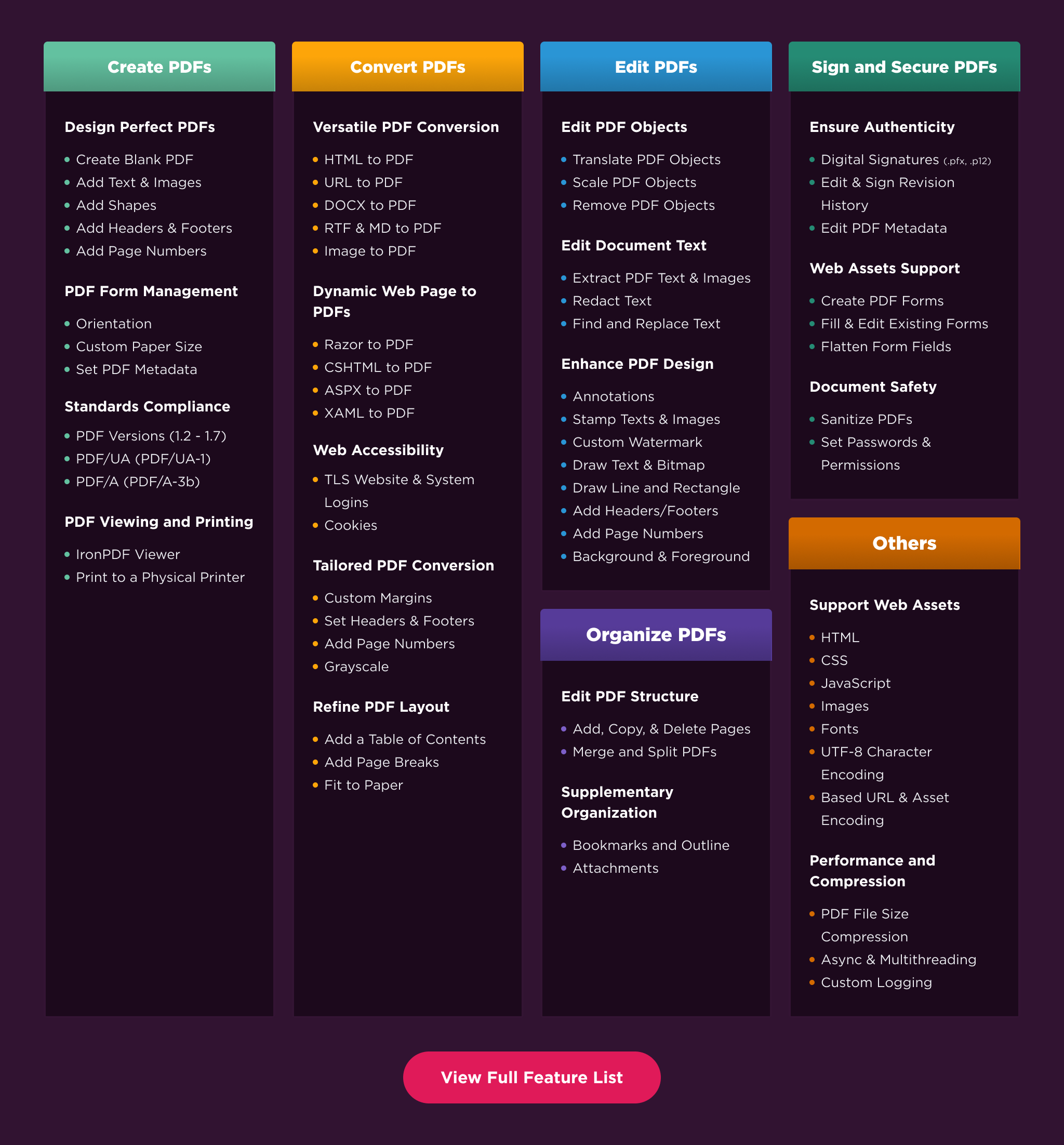
Create PDFs: Create PDFs from scratch in a few lines of code.
Convert PDF: Convert PDFs from HTML, images, docx, and website pages.
Edit PDFs: Modify existing PDF documents. Add text, images, watermarks, and headers/footers.
Organize PDFs: Merge, split, add or remove pages, and manipulate document properties.
Sign & Secure PDFs: Add digital signatures, set passwords, and manage user permissions to protect your documents.
Compatibility
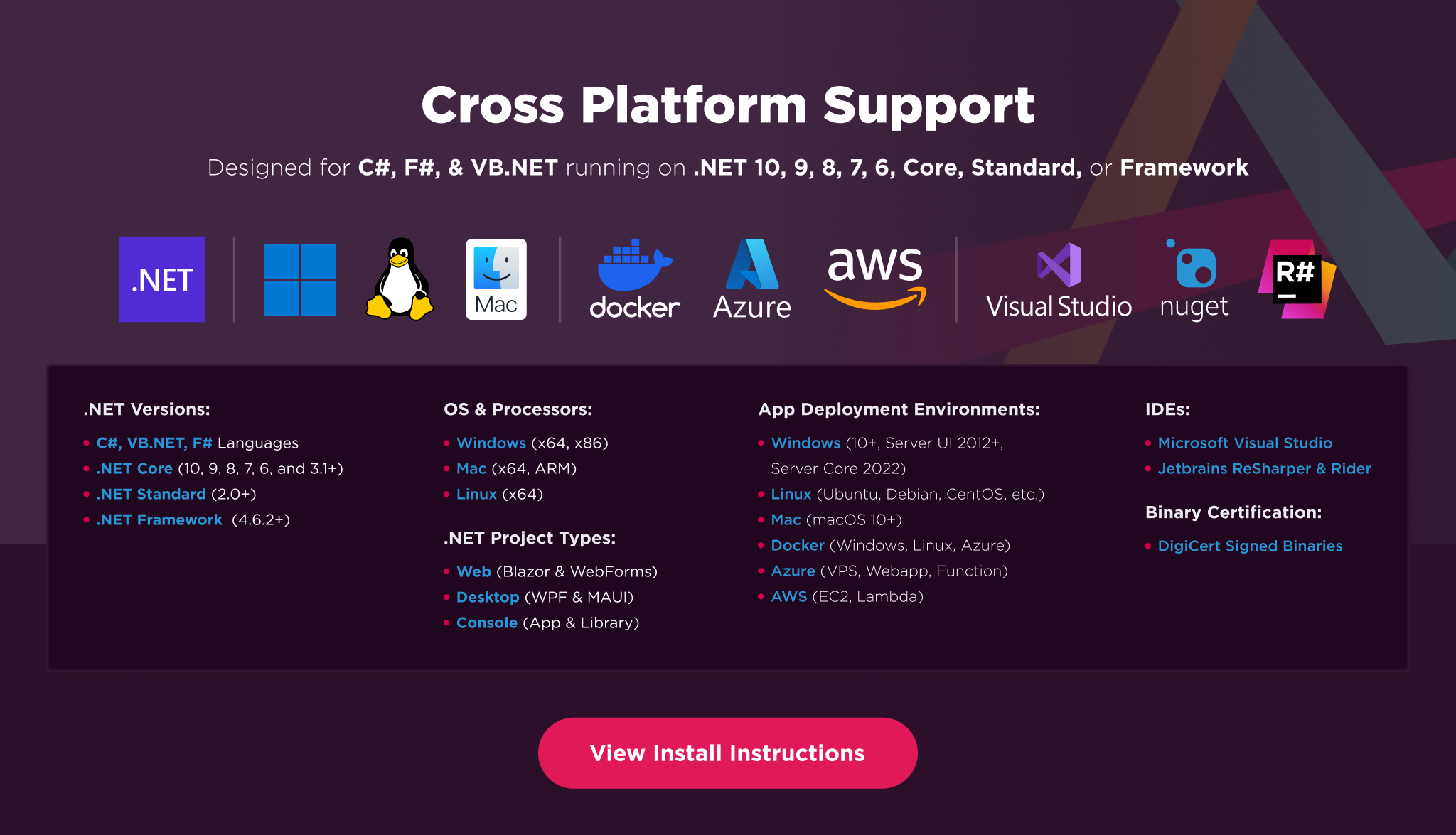
IronPDF is built for modern .NET and supports a wide range of project types and operating systems.
Platforms: .NET 10, .NET 9, .NET 8, .NET 7, .NET 6, .NET 5, Core 2x & 3x, Standard 2
Framework: .NET Framework 4.6.2 (and above)
App Models: Console, Web, and Desktop Apps, MVC, Blazor, MAUI, Razor Pages, Web Forms
Operating Systems: Windows, macOS, Linux (Debian, CentOS, Ubuntu)
IDEs: Microsoft Visual Studio or Jetbrains ReSharper & Rider
License
IronPDF is a commercially licensed product.
Trial License: Get a free developer key to evaluate the full library with no commitment. For development and testing. Start your trial HERE.
Purchase a License: Unlock the library for use in commercial projects and access technical support. Purchase your license HERE.
Getting Help & Support
Have a question or running into an issue?
Email Support: Reach out to support directly at support@ironsoftware.com.
Live Chat Support: https://ironpdf.com/#helpscout-support
Report a Bug: https://ironsoftware.com/ticket-submission/
Community: https://ironsoftware.com/company/iron-slack-community/
| Product | Versions Compatible and additional computed target framework versions. |
|---|---|
| .NET | net5.0 is compatible. net5.0-windows was computed. net6.0 is compatible. net6.0-android was computed. net6.0-ios was computed. net6.0-maccatalyst was computed. net6.0-macos was computed. net6.0-tvos was computed. net6.0-windows was computed. net7.0 was computed. net7.0-android was computed. net7.0-ios was computed. net7.0-maccatalyst was computed. net7.0-macos was computed. net7.0-tvos was computed. net7.0-windows was computed. net8.0 is compatible. net8.0-android was computed. net8.0-browser was computed. net8.0-ios was computed. net8.0-maccatalyst was computed. net8.0-macos was computed. net8.0-tvos was computed. net8.0-windows was computed. net9.0 was computed. net9.0-android was computed. net9.0-browser was computed. net9.0-ios was computed. net9.0-maccatalyst was computed. net9.0-macos was computed. net9.0-tvos was computed. net9.0-windows was computed. net10.0 was computed. net10.0-android was computed. net10.0-browser was computed. net10.0-ios was computed. net10.0-maccatalyst was computed. net10.0-macos was computed. net10.0-tvos was computed. net10.0-windows was computed. |
| .NET Core | netcoreapp2.0 is compatible. netcoreapp2.1 was computed. netcoreapp2.2 was computed. netcoreapp3.0 was computed. netcoreapp3.1 was computed. |
| .NET Standard | netstandard2.0 is compatible. netstandard2.1 was computed. |
| .NET Framework | net461 was computed. net462 was computed. net463 was computed. net47 was computed. net471 was computed. net472 was computed. net48 was computed. net481 was computed. |
| MonoAndroid | monoandroid was computed. |
| MonoMac | monomac was computed. |
| MonoTouch | monotouch was computed. |
| Tizen | tizen40 was computed. tizen60 was computed. |
| Xamarin.iOS | xamarinios was computed. |
| Xamarin.Mac | xamarinmac was computed. |
| Xamarin.TVOS | xamarintvos was computed. |
| Xamarin.WatchOS | xamarinwatchos was computed. |
-
.NETStandard 2.0
- IronPdf.Native.Chrome.Linux.ARM (>= 2026.7.2 && < 2026.8.0)
- IronPdf.Slim (= 2026.7.2)
- IronSoftware.Native.PdfModel.Linux.ARM (>= 2026.7.2 && < 2026.8.0)
NuGet packages
This package is not used by any NuGet packages.
GitHub repositories
This package is not used by any popular GitHub repositories.
| Version | Downloads | Last Updated |
|---|---|---|
| 2026.7.2 | 56 | 6/26/2026 |
| 2026.6.1 | 265 | 5/26/2026 |
| 2026.5.2 | 282 | 4/29/2026 |
| 2026.4.1 | 217 | 3/27/2026 |
| 2026.3.1 | 235 | 2/26/2026 |
| 2026.2.1 | 244 | 2/17/2026 |
| 2026.1.3 | 256 | 2/9/2026 |
| 2025.12.2 | 411 | 12/26/2025 |
| 2025.11.12 | 512 | 11/10/2025 |
| 2025.10.8 | 463 | 10/8/2025 |
| 2025.9.4 | 8,172 | 9/2/2025 |
| 2025.8.8 | 492 | 8/13/2025 |
| 2025.7.17 | 892 | 7/22/2025 |
| 2025.6.8 | 690 | 6/17/2025 |
| 2025.5.6 | 12,804 | 5/13/2025 |
Features
- Added support for extracting and accessing PDF Optional Content Groups (OCG/layers), including layer hierarchy, visibility, and object-level layer metadata
- Added ChromePdfRenderOptions.CssPageRulePolicy and header/footer overlap detection options to improve margin handling and prevent content overlap when rendering or modifying PDFs
Enhancements
- Enhanced PDF scanning reliability by removing shellcode hash-based detection rules that could cause inconsistent false-positive results
- Enhanced render timeout handling by detecting stalled PDF generation operations and returning clearer, more actionable error messages
Bug Fixes
- Fixed engine stability issues that could cause orphaned browser processes, unexpected crashes, and rendering failures under heavy load or constrained CPU environments
- Fixed an issue where PDF redaction could leave partial-character artifacts or remove excess content due to inaccurate text bounding boxes
- Fixed an issue where ImageToPdfConverter.ImageToPdf could generate blank PDFs for image filenames containing both spaces and multiple dots
- Fixed an issue where multi-page TIFF conversion did not preserve per-page orientation and resolution for mixed-orientation PDFs
- Fixed an issue where Cleaner.SanitizeWithSvg could add an extra page and corrupt non-ASCII text in sanitized PDFs
- Fixed an issue where PDF signature timestamps could display an incorrect timezone offset during daylight saving time (DST)
Update
- Updated internal dependencies