Kiji 0.5.0
dotnet add package Kiji --version 0.5.0
NuGet\Install-Package Kiji -Version 0.5.0
<PackageReference Include="Kiji" Version="0.5.0" />
<PackageVersion Include="Kiji" Version="0.5.0" />
<PackageReference Include="Kiji" />
paket add Kiji --version 0.5.0
#r "nuget: Kiji, 0.5.0"
#:package Kiji@0.5.0
#addin nuget:?package=Kiji&version=0.5.0
#tool nuget:?package=Kiji&version=0.5.0
📰 Kiji


Write Razor. Publish a purely static site. Kiji brings your .NET components and Markdown together in plain HTML, ready for any static host.
Why Kiji
🧰 Your .NET workflow
Write pages, layouts, and models in Razor and C#. Preview with dotnet watch and ship
with dotnet publish.
📦 Publishing essentials included
Typed Markdown, responsive WebP images, RSS, and sitemaps in one package.
⚡ Work on what changed
The browser reloads while you write, and publishing reuses unchanged pages.
🔄 Make it yours
Customize Markdown, transform HTML, or bring your own content source and image processor.
🔕 Static by design
The output needs no .NET server or Blazor runtime. Use JavaScript for browser
interactivity; Razor event handlers such as @onclick do not run in the browser.
Getting started
Kiji requires the .NET 10 SDK or later.
dotnet new install Kiji.Templates
dotnet new kiji-blog -o MyBlog
cd MyBlog
Edit your site settings in Program.cs:
//Program.cs

app.Info = new SiteInfo
{
    BaseUrl = new Uri("https://example.org/"),
    Name = "My Blog",
};
Start the development server and open http://localhost:8080:
dotnet watch
The browser reloads as you edit content and components.
Stop the development server with Ctrl+C, then generate the static site in dist/:
dotnet publish
See Kiji.Templates for all templates and options, or follow Getting started to use a template or build a minimal blog from scratch.
Demo
| Demo | Image | Create a site |
|---|---|---|
| Kiji Blog Template (source) | 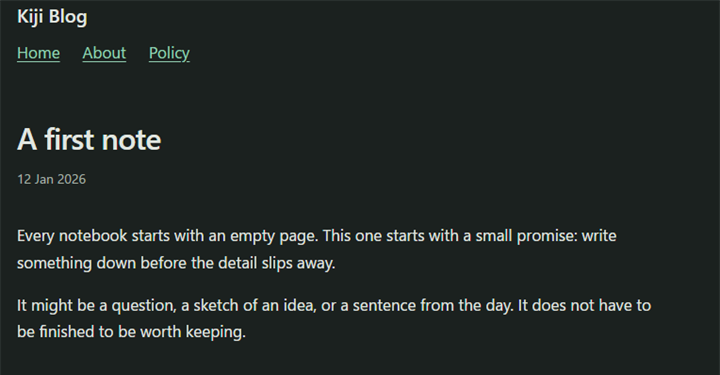 |
dotnet new kiji-blog -o MyBlog |
| Kiji Doc Template (source) | 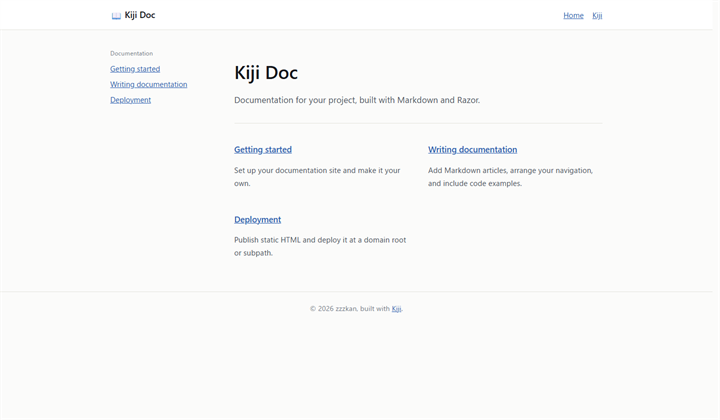 |
dotnet new kiji-doc -o MyDocs |
| Kiji Interactive Template (source) | 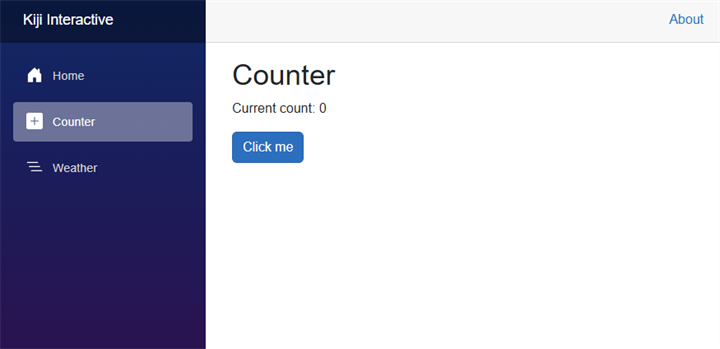 |
dotnet new kiji-interactive -o MyInteractive |
| Kiji Fluent Template (source) | 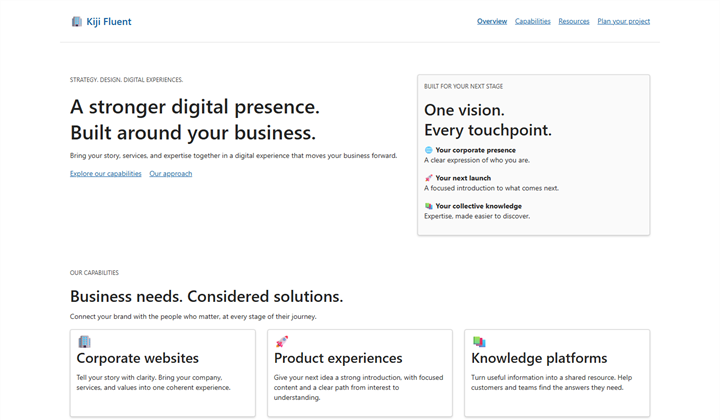 |
dotnet new kiji-fluent -o MyFluent |
Contributing
Contributions to Kiji and its documentation are welcome. Open an issue to report a bug or suggest a feature.
License
| Product | Versions Compatible and additional computed target framework versions. |
|---|---|
| .NET | net10.0 is compatible. net10.0-android was computed. net10.0-browser was computed. net10.0-ios was computed. net10.0-maccatalyst was computed. net10.0-macos was computed. net10.0-tvos was computed. net10.0-windows was computed. |
-
net10.0
- Markdig (>= 1.4.1)
- SkiaSharp (>= 4.153.1)
- SkiaSharp.NativeAssets.Linux.NoDependencies (>= 4.153.1)
- YamlDotNet (>= 18.1.0)
NuGet packages
This package is not used by any NuGet packages.
GitHub repositories
This package is not used by any popular GitHub repositories.
| Version | Downloads | Last Updated |
|---|---|---|
| 0.5.0 | 84 | 10/24/2026 |
| 0.4.0 | 181 | 10/21/2026 |
| 0.3.0 | 124 | 10/19/2026 |
| 0.2.1 | 178 | 10/11/2026 |
| 0.2.0 | 104 | 10/11/2026 |
| 0.2.0-preview.1 | 60 | 9/27/2026 |
| 0.1.0 | 494 | 9/24/2026 |
| 0.1.0-preview.4 | 100 | 9/23/2026 |
| 0.1.0-preview.3 | 92 | 9/21/2026 |
| 0.1.0-preview.2 | 91 | 9/20/2026 |
| 0.1.0-preview.1 | 148 | 9/18/2026 |