Aml.Editor.Plugin.OpcUa
0.5.3
dotnet add package Aml.Editor.Plugin.OpcUa --version 0.5.3
NuGet\Install-Package Aml.Editor.Plugin.OpcUa -Version 0.5.3
This command is intended to be used within the Package Manager Console in Visual Studio, as it uses the NuGet module's version of Install-Package.
<PackageReference Include="Aml.Editor.Plugin.OpcUa" Version="0.5.3" />
For projects that support PackageReference, copy this XML node into the project file to reference the package.
<PackageVersion Include="Aml.Editor.Plugin.OpcUa" Version="0.5.3" />
<PackageReference Include="Aml.Editor.Plugin.OpcUa" />
For projects that support Central Package Management (CPM), copy this XML node into the solution Directory.Packages.props file to version the package.
paket add Aml.Editor.Plugin.OpcUa --version 0.5.3
The NuGet Team does not provide support for this client. Please contact its maintainers for support.
#r "nuget: Aml.Editor.Plugin.OpcUa, 0.5.3"
#r directive can be used in F# Interactive and Polyglot Notebooks. Copy this into the interactive tool or source code of the script to reference the package.
#:package Aml.Editor.Plugin.OpcUa@0.5.3
#:package directive can be used in C# file-based apps starting in .NET 10 preview 4. Copy this into a .cs file before any lines of code to reference the package.
#addin nuget:?package=Aml.Editor.Plugin.OpcUa&version=0.5.3
#tool nuget:?package=Aml.Editor.Plugin.OpcUa&version=0.5.3
The NuGet Team does not provide support for this client. Please contact its maintainers for support.
AMLOpcUa
OPC UA for the AutomationML Editor.
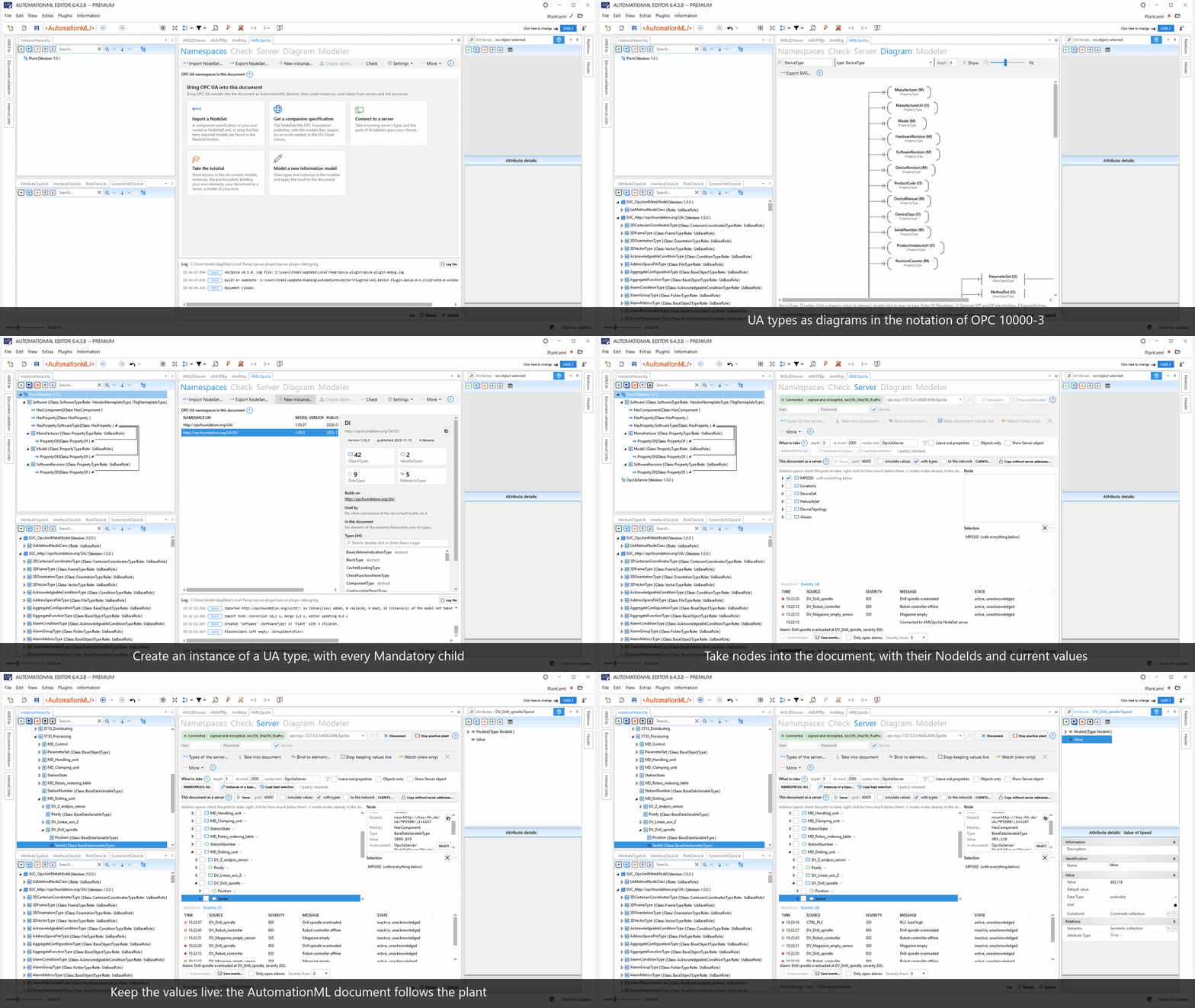
- Import: OPC UA NodeSets become AML libraries according to OPC 10000-83 (UAFX Offline Engineering), Annex A. Companion specifications come from the OPC Foundation or the UA Cloud Library; the base model and DI are included.
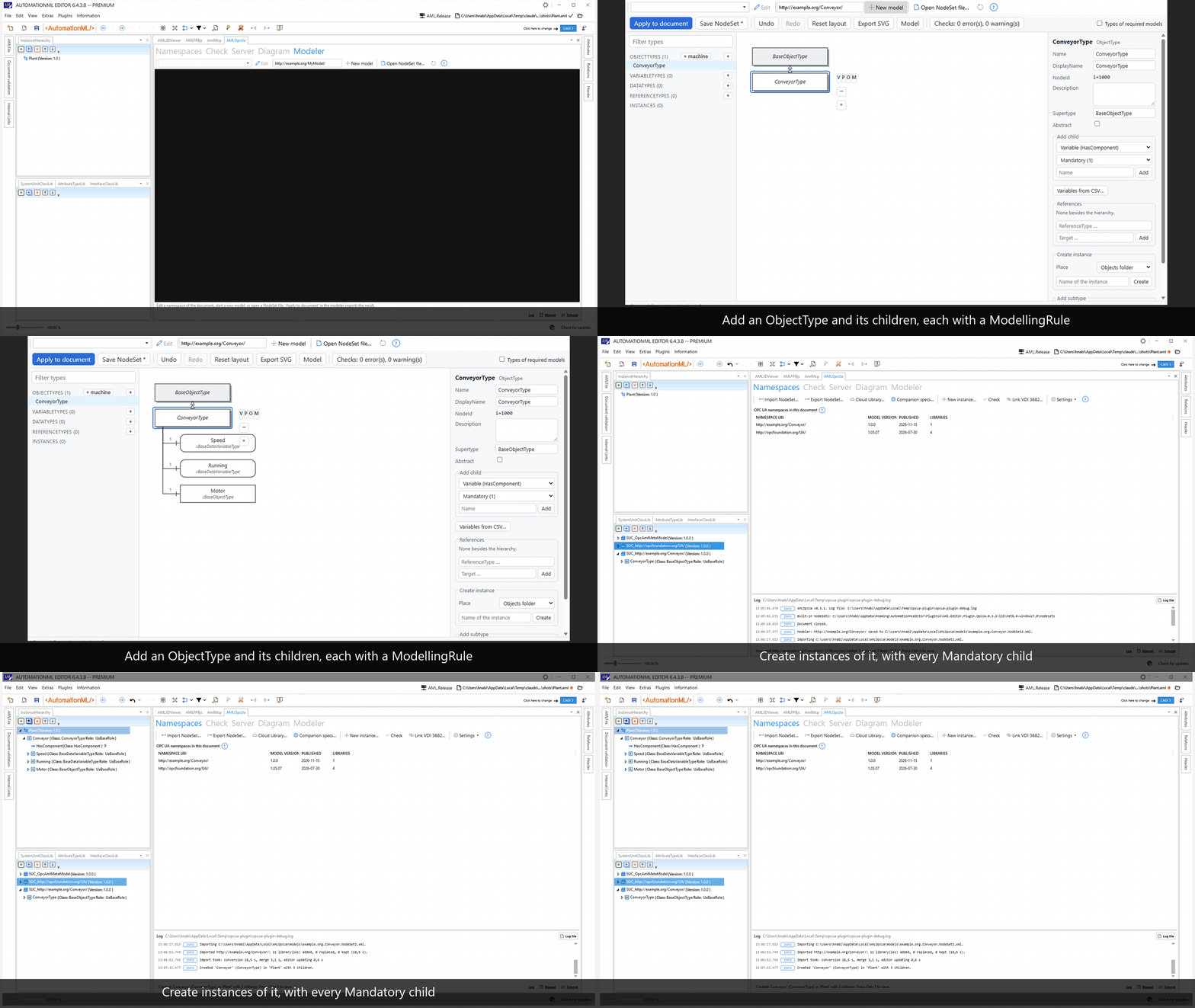
- Instances: instances of UA types with their Mandatory children, chosen Optional children and named children for placeholders, and a check of instances against their types.
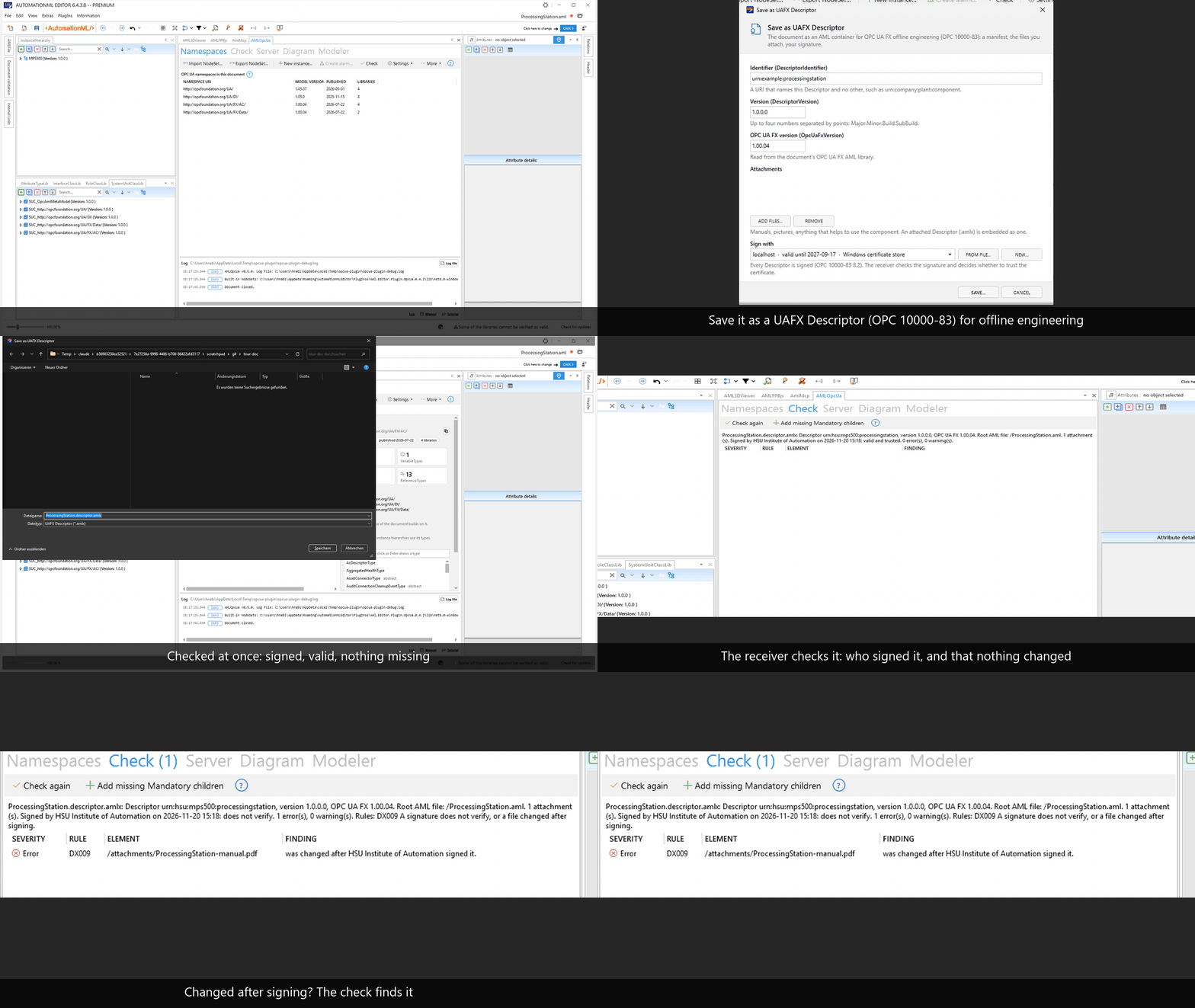
- UAFX Descriptors (OPC 10000-83): save the document as a signed AML container with the files you attach, and check a Descriptor you receive: manifest, files, signature and signer.
- Servers: find a server through a discovery server, import its types, take its nodes into the document with their NodeIds and UA types, bind a model of your own at once, read values once or keep them live in the document, write values and call methods, receive events and acknowledge alarms; serve the open document as an OPC UA server, with its types and alarms.
- Practice plant: the MPS 500 learning factory as an OPC UA server on this computer, with moving values, to try all of this without a plant.
- Export: AML documents (CAEX 2.15 and 3.0) as OPC UA NodeSets by the rules of the AutomationML/OPC Foundation working group, and ModelDesign for the OPC Foundation's ModelCompiler.
- Diagrams of UA types and instances in OPC 10000-3 notation, and the graphical modeler NodeSet.js in a tab of its own.
- English and German.
Installing
- In the AutomationML Editor (6.4 or later), open the PlugIn Manager (PlugIns › PlugIn Manager), choose the source PublicSource, select AMLOpcUa among the available plugins and install it.
- Restart the editor and switch the plugin on once with PlugIns › AMLOpcUa › Activate.
Without a network, download the package from the releases and add its folder as a package source in the PlugIn Manager; the package asks for nothing the editor does not bring.
More
- User manual; in the plugin, Manual in the status bar opens it
- New to OPC UA: OPC UA for AutomationML users; new to AutomationML: AutomationML for OPC UA developers
- Auf Deutsch: Kurzanleitung
- Changes
- Source, MIT license; third-party notices
The conversion is done by Opc2Aml, the OPC Foundation's reference implementation of Annex A.
| Product | Versions Compatible and additional computed target framework versions. |
|---|---|
| .NET | net8.0-windows7.0 is compatible. net9.0-windows was computed. net10.0-windows was computed. |
Compatible target framework(s)
Included target framework(s) (in package)
Learn more about Target Frameworks and .NET Standard.
-
net8.0-windows7.0
- No dependencies.
NuGet packages
This package is not used by any NuGet packages.
GitHub repositories
This package is not used by any popular GitHub repositories.